Ticklists App (MVP)
Product Designer
Developer
Marketer
This app is now live and you can try it out at Ticklists.app.
To find out who it's for and how it works, see TickLists.com
Background
I've been trying to manage our household shop with a shared google spreadsheet with my partner for a long time now, and whilst it was far from ideal, it was way quicker to use than any apps I downloaded and tried.
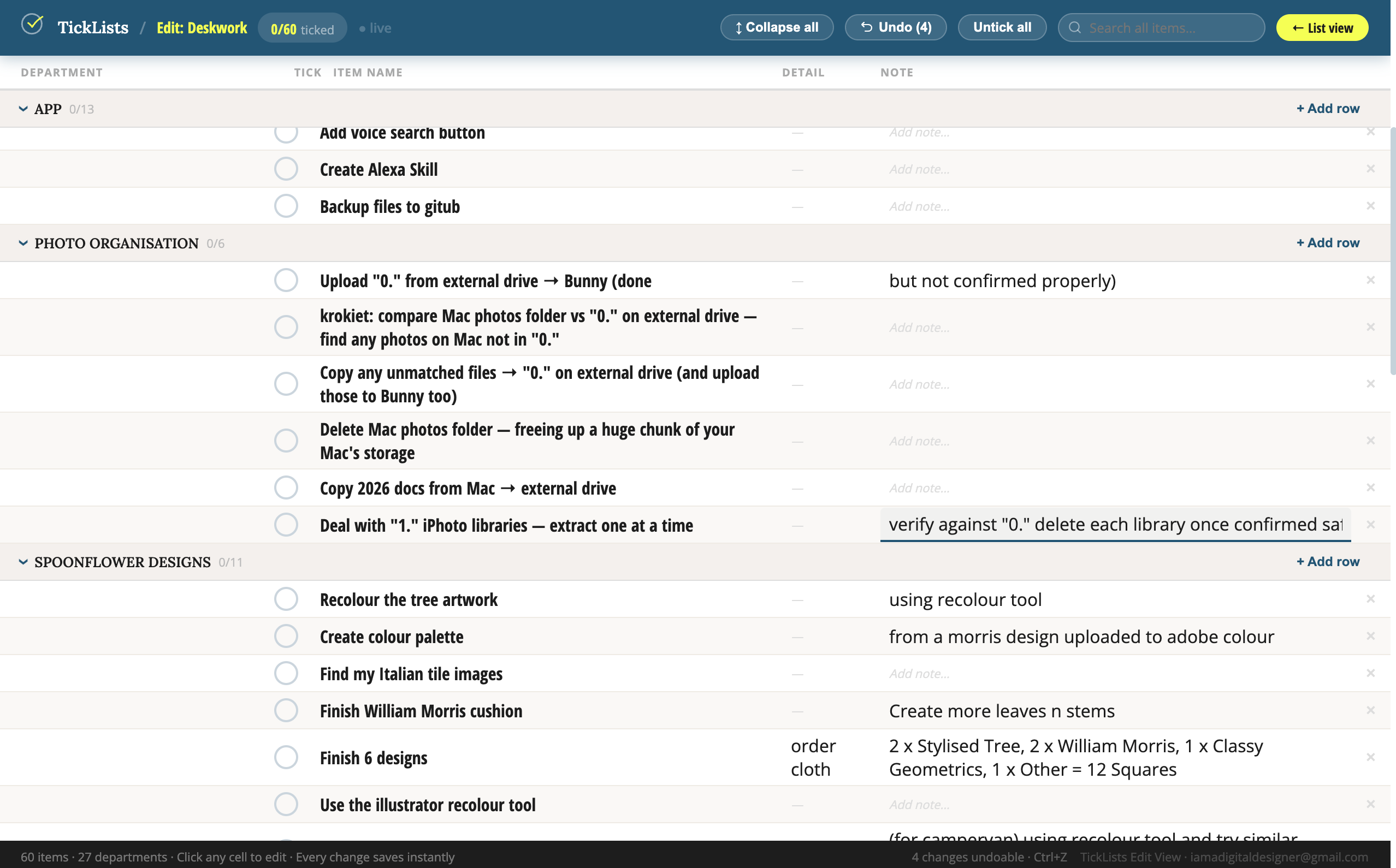
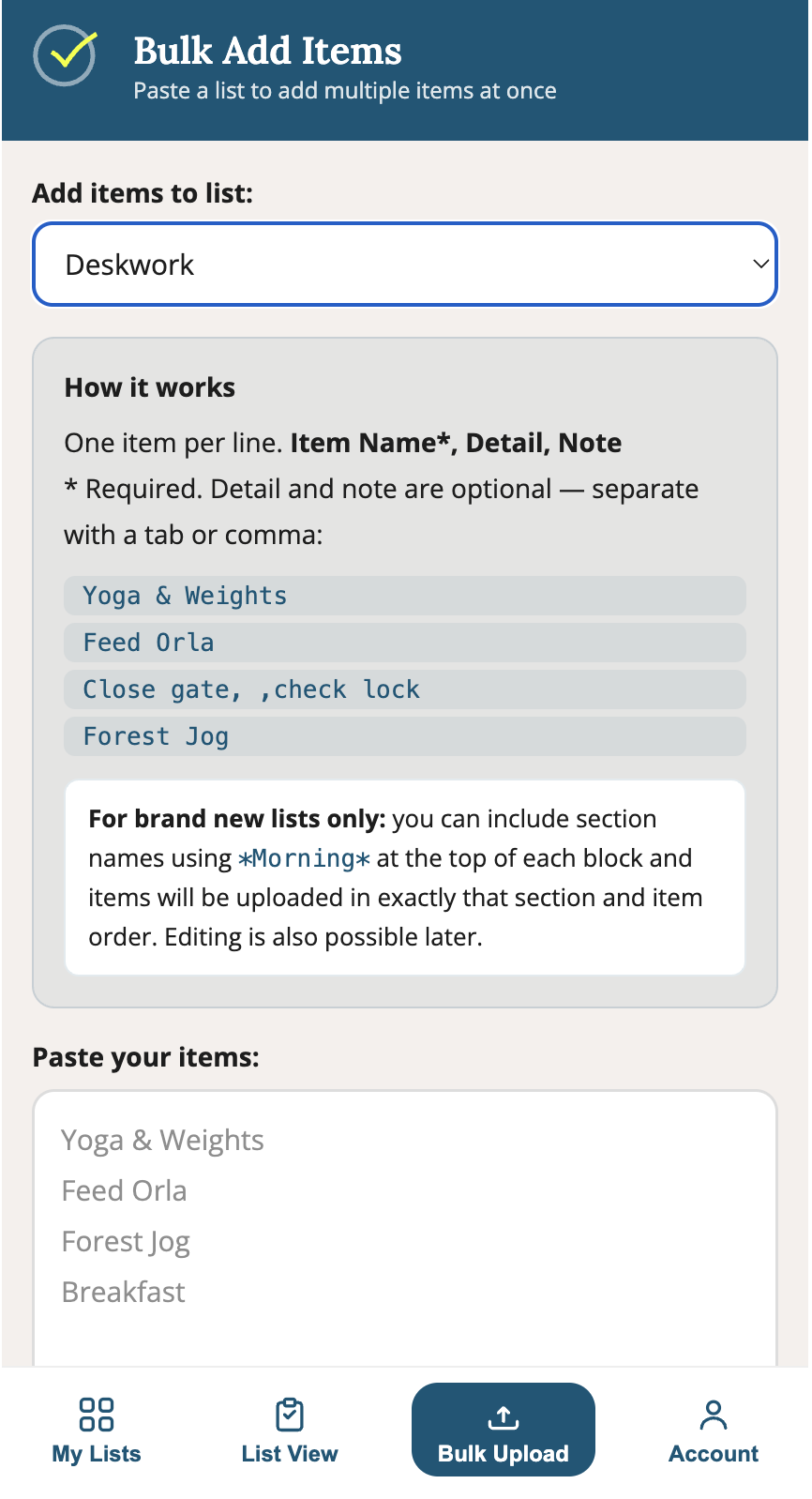
The first pain point I hit was that none of them had bulk upload, and none had a spreadsheet view for fast bulk editing.
Another personal pain point was the huge amount of repetative tasks I have daily or weekly to manage a half-hectare property, and whichever list method or app I used, I wasted so much time clicking things in apps or moving tasks and text.
Competitive Review
The market lacks a multi-platform app that helps multi-person households to shop in person at stores for large lists of items such as a food shop.
Added to that, it's much more efficient for the shopper if the list is in the right order i.e. the same order as the store layout.
I researched the market and was really dissapointed by all the apps I found and used.
I've also personally used multiple apps to try to organise my 'To do' list - both repetative daily routines that happen daily or weekly, or list of 'Work to do'.
I found that complex apps like Asana are amazing for work teams, but too feature heavy and therefore clunky for the purposes of a household manager. Simple list apps like standard notes don't have enough features to make them filterable and useful for these two very specific cases - Shopping Lists, and Routines/To Do Lists.
User Research
When I work on a client project I always do as much in-depth user research as the project budget allows for. In this personal project though, I knew if I started research I'd never get around to building it, so I decided to build the app that me and my partner really need - it's a small app, so it's pretty fast to build after defining it - and then to user test out in the wild.
Personas
Shopping Lists
- People managing multi-person households — repetative buying, all household members only need to tick items that ran out
- People on special diets — Tag & colour code ‘safe’ or ideal diet foods to easily select when ticking or shopping
- Carers / people managing households for elderly parents — Easy to share a list the elderly have access to and see who ticked items to keep them seperate
- People with ADHD — the "I forget everything at the stores/shops" audience is massive and very vocal online
- Anyone doing meal prep or batch cooking — organised shoppers who want structure
- People who ‘discount shop’ in different stores, the tags can be used to label which stores have offers that week on certain items
- Renovators & Tradesmen — Long lists of what to buy at hardware stores with detailed notes
- Small Businesses — Everyone can access the list to tick what’s run out in the shared kitchen
Routines
- Habit builders — Those with a repetitive routine wanting to select days for certain exercises or tasks - the list is easily filtered by tag or day of the week.
- People managing large households — repetitive tasks that need to be done every day or only on specific days like ‘feed an animal’ twice daily or ‘water plants’ only on thursdays
- People with many family tasks — repetative tasks, like ‘doing the kids hair for school’
- Household maintenance — Per person lists so that everyone is clear on their upcoming jobs and which day of the week they’re due
- Business Routines — Any business checklist that's daily or weekly - e.g. a Print shop that has to do print machine maintenance every morning before the print run
Goals
I wanted to create a very simple, but very useful app for a very niche task, but to do it better than the other complicated and time-consuming apps that are available.
I also want to employ myself for a decent income.
.
Design Talkthrough
Most 'Tick' apps make you type in an item, and then it's auto-deleted (or moved) when you tick it
That's really inneficient for repetative shopping and routines.
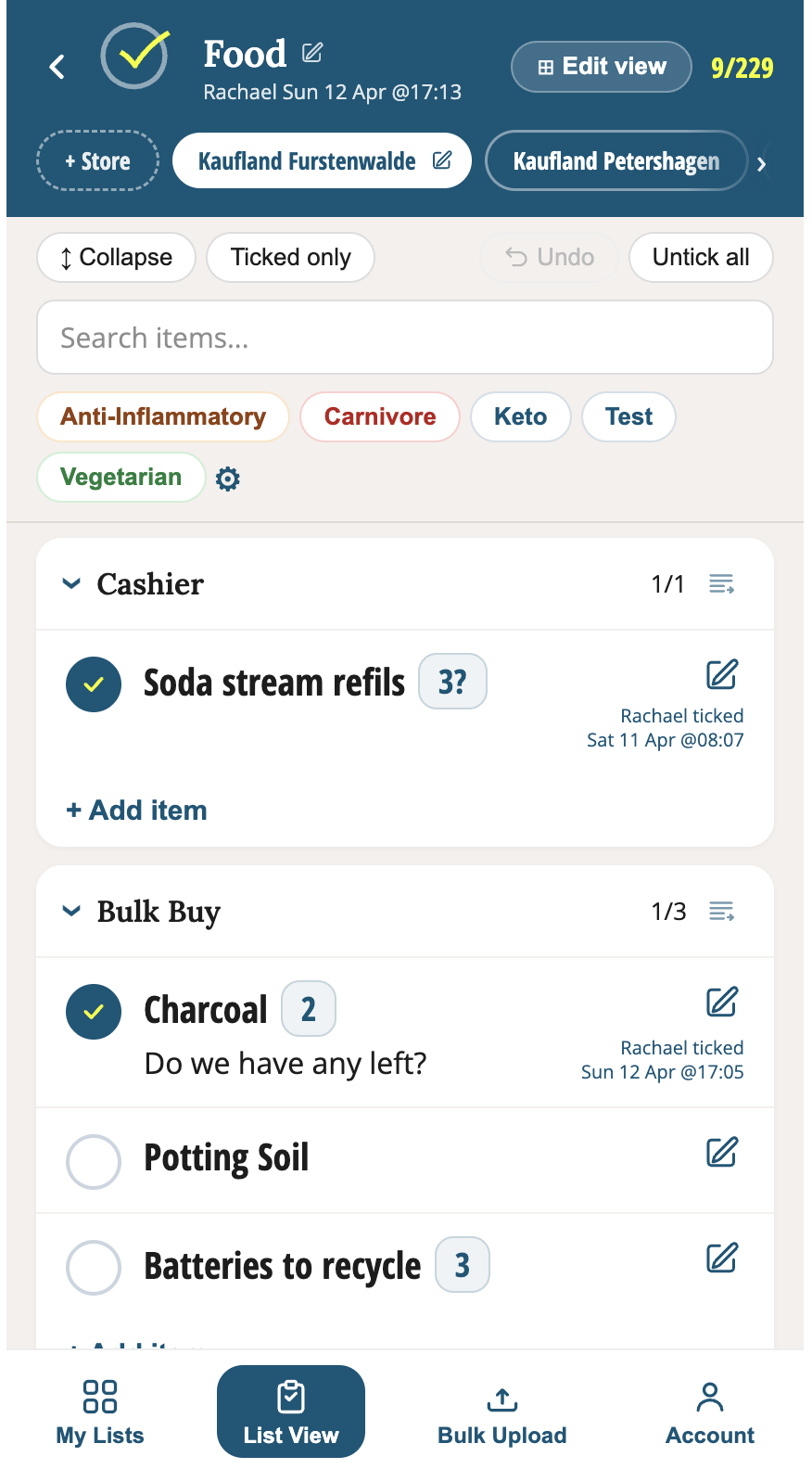
Repetative Shopping
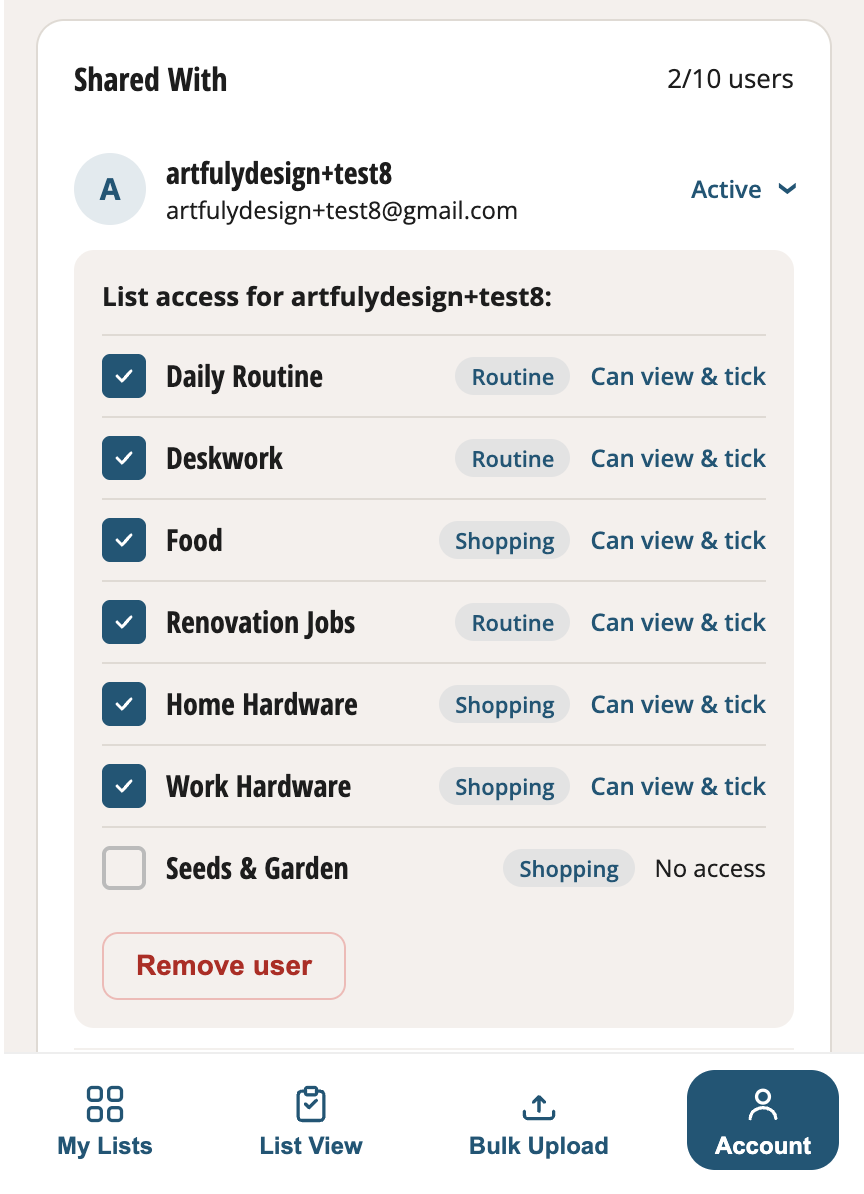
My design allows the user to paste in and bulk upload a 'Master List', including sections if they like. In the account area they can then enter household members email addresses and select which lists to share with them.
The household members then 'Tick' food items as they run out, so that the person doing the shop can filter to 'Ticked only' and see a simple list of things to buy so that non-ticked items are invisble for the moment. Items not needed that week still exist, waiting to be ticked another time, so that no-one has to keep re-typing that item in.
Added to that, Items can be arranged in sections like 'Fruit & Veg' and 'Delicatessen' etc, so that the sections can be dragged into the right order within any 'Store' instance and after first set up, the user can select a store location and always see the list in exactly the right order to walk around the store.
For Routines...
The ticks work a bit differently - you set up your regular routines, and tick them as they are done and filter to see only the unticked for the current day only (e.g. Thursday). At the end of the day you can reset your ticks and choose the correct day (Friday) to really efficiently see what's on your plate for the day - and quit all this typing in new items, copying, moving to the next day or whatever!
MVP
See the live app at TickLists.app to click around and experience how it works (free account)
A Note on Risk
Many people might say that there's no use for an app such as this because we can all order food online now. However that's only true for people living in westernised cities. There are still millions of people who need to shop in person at a store.
Yes there are also many competitors, but not to this app idea:
I didn't find any app that gives bulk upload to create a personalised household master list that puts the list in exactly the right order for any store.
MVP Features
The main feature is to be able to have items inside of sections, so that the sections can appear on the list in the same order as they appear on the floor plan of the supermarket. This makes the shopping experience much faster and less annoying.
The sections also work well for 'Routines' - the user can create sections like 'Morning', 'Mid-Morning', 'Afternoon', 'Evening' etc, and sections can optionally be collapsed so you can concentrate on one time-period at a time. This is also flexible, sections don't have to be used, and they can be used in any way the user likes.
Design Highlights
Brand Guidelines
I used Claude Cowork to quickly create these brand guidelines. They're far from perfect, but it creates a solid base to polish from later, and keeps things consistent for now. See them at ticklists-brand-guidelines.html
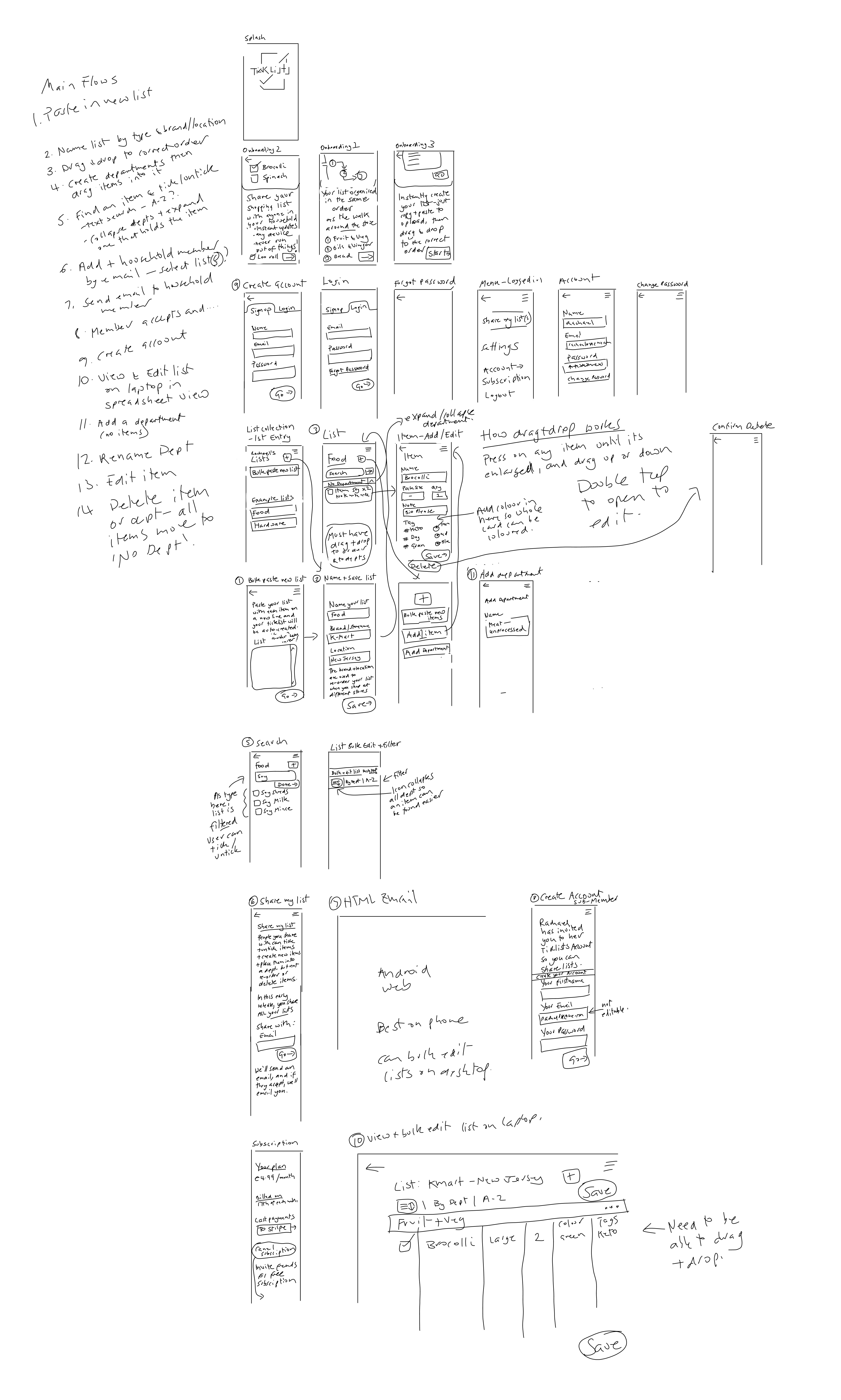
Hand-drawn Initial Wireframes for MVP
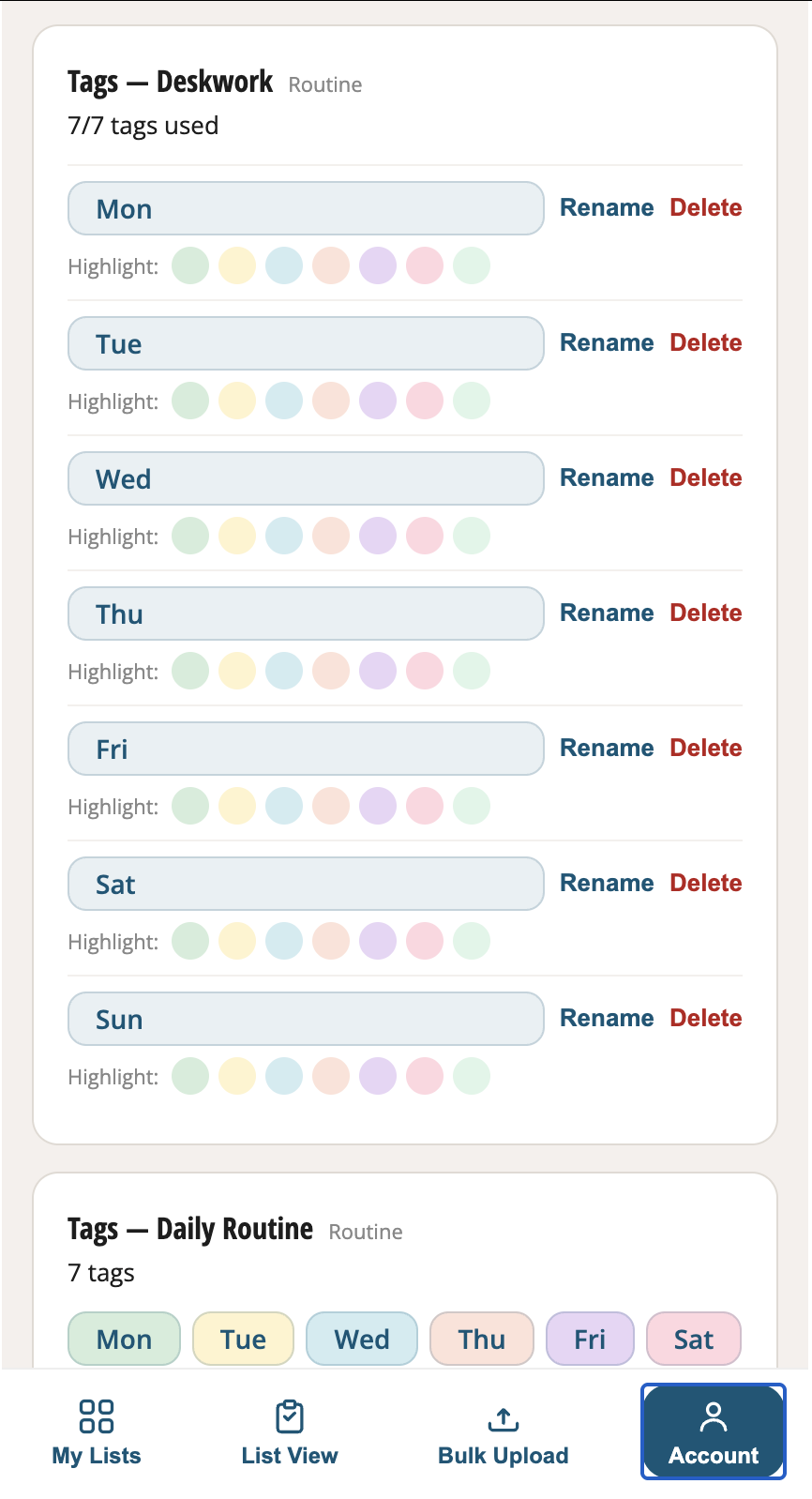
Create, edit, colour-code and delete tags on each list
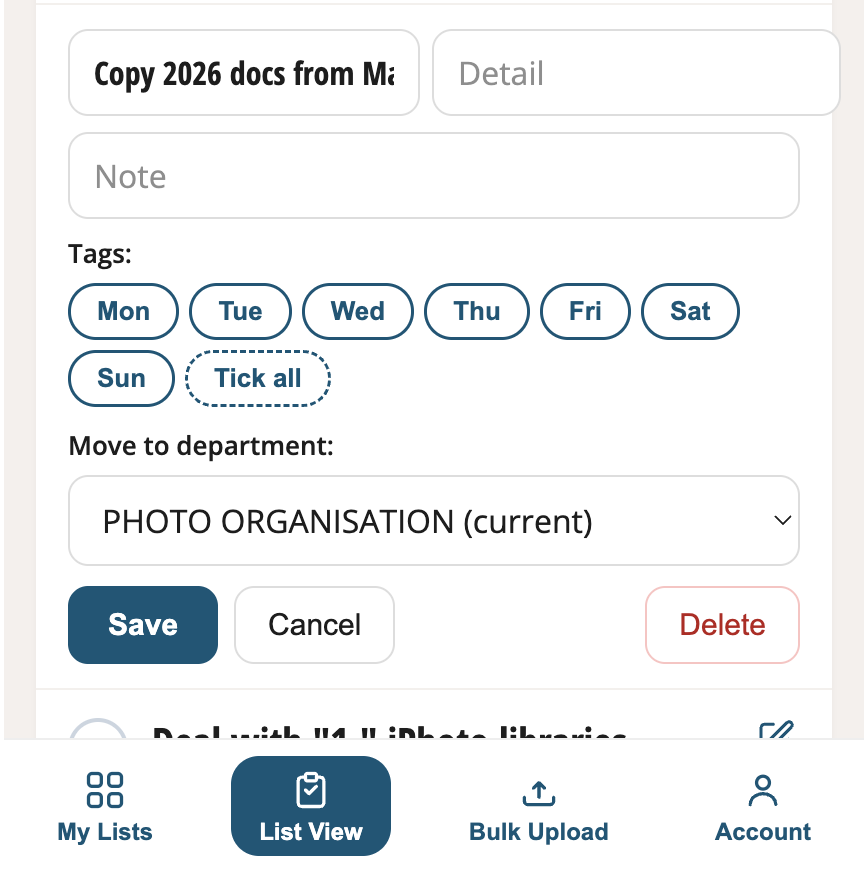
Quickly add or remove tags on any item, or move an item to a different section
Select exactly which lists to share with who
Use Spreadsheet view on a desktop or tablet
to speed edit your shopping list or routine tasks